
Nowadays, for most travelers, Netflix has become a staple form of entertainment, whether at home or away. So, accessing your streaming account while traveling, especially when you are at your second home, can sometimes come with challenges due to regional restrictions and other connectivity issues. This guide aims to provide you with comprehensive methods to access your Netflix account seamlessly, enabling you to enjoy your favorite shows and movies wherever you go.
Create a Netflix account
When creating a Netflix account, it’s essential to choose the right plan that fits your viewing habits and budget. In fact, Netflix offers several subscription tiers: Basic, Standard, and Premium. The Basic plan allows you to watch on one screen at a time in standard definition, which is suitable for casual viewers. The Standard plan offers HD streaming on two screens simultaneously, making it a great choice for couples or families. The Premium plan allows for UHD streaming and can be viewed on up to four screens simultaneously, perfect for larger households or frequent viewers.
Understanding your needs will help you make an informed decision. If you frequently watch Netflix with family or friends, opt for a plan that allows multiple screens. Conversely, if you plan to use it solo at your second home, the Basic plan could suffice.
Setting up your account
Once you’ve selected a plan, setting up your Netflix account is not that complicated. So, you need to visit the Netflix website or download the app and click on Join Free for a Month or Start Your Free Trial. You will need to provide an email address and create a password. After confirming your email, enter your payment details to finalize the subscription.
Make sure to take note of your login credentials, as you’ll need them when accessing your account at your second home. It’s also advisable to enable two-factor authentication for an added layer of security.
Signing in from your second home
With your account set up, signing in from your second home is simple. Open the Netflix app or website, enter your email and password, and you’re ready to start streaming. However, keep in mind that Netflix’s content library may vary depending on your geographic location. This is due to licensing agreements with content providers, which can restrict certain titles to specific regions.
If you find that your favorite shows or movies are unavailable at your second home, there are ways to work around these restrictions, which we will explore in the next section.
Use a VPN service
NordVPN is what works best for NetFlix in most countries. A Virtual Private Network (VPN) is a great tool for travelers wanting to access their Netflix account from different locations. By masking your IP address and routing your internet traffic through servers located in different countries, a VPN enables you to appear as if you’re accessing the internet from your home country. This means you can bypass regional restrictions and access the full range of content available on Netflix.

In addition to enabling access to content, VPNs also enhance your online security and privacy, especially when using public Wi-Fi networks. They encrypt your internet connection, making it harder for potential intruders to intercept your data. This dual benefit makes VPNs a popular choice for many travelers.
How to choose a reliable VPN provider?
Not all VPN services are created equal, especially when it comes to streaming. So, when selecting a service provider, look for one known for its speed, reliability, and ability to bypass Netflix’s VPN detection. Some popular options include ExpressVPN, NordVPN, and Surfshark, all of which have been tested for effectiveness in unblocking streaming services.
Read user reviews and compare features such as the number of servers available, the ability to connect multiple devices, and customer support options. Many VPN providers also offer free trials or money-back guarantees, allowing you to test their service before committing long-term.
How to set up a VPN for Netflix?
First, subscribe to a VPN service that meets your needs. Then, download and install the VPN application on your device, whether it’s a laptop, smartphone, or tablet. Open the app and sign in using your credentials.
Next, connect to a server located in your home country or another country where the desired content is available. Once connected, open the Netflix app or website. You should now be able to access the broader range of content available in that region. Remember to test different servers if you encounter any issues, as not all VPN servers work with Netflix at all times.
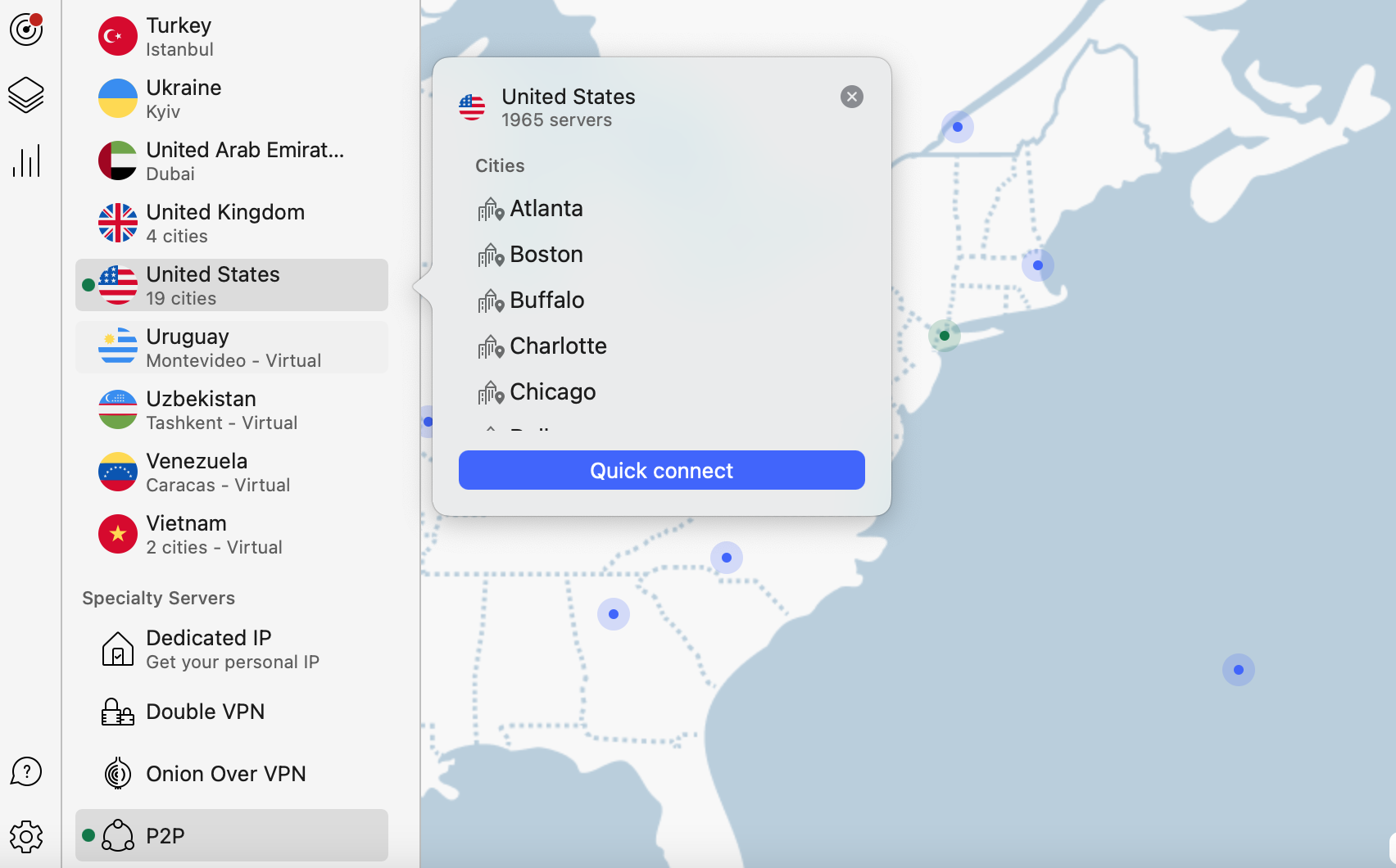
Here is an example of what you can see in the NordVPN account.
Troubleshooting common VPN issues
Even the best VPN services can encounter issues. If you find that Netflix is blocking your access while using a VPN, there are several steps you can take to troubleshoot the problem. First, try clearing your browser’s cache and cookies, as they may retain location data that Netflix uses to enforce restrictions.
Additionally, switch to a different server within your VPN application. Some servers are more successful at bypassing blocks than others due to Netflix’s ongoing efforts to detect and restrict VPN usage. If problems persist, consider contacting the VPN provider’s customer support for assistance.
Download content for offline viewing
One of the most convenient features that Netflix offers is the ability to download content for offline viewing. This can be especially beneficial if you’re traveling to areas with limited internet connectivity. To download shows or movies, simply open the Netflix app on your mobile device, navigate to the title you wish to download, and look for the download icon, typically represented by a downward-facing arrow.
Once downloaded, the content will be available in the “My Downloads” section of the app. It’s worth noting that not all titles are available for download, but you’ll find many popular series and films that are. Downloading content beforehand ensures that you have access to entertainment even when you’re on the go.
When you manage your downloaded content effectively, you can enhance your viewing experience. Netflix allows you to download a certain number of titles, depending on your plan, so it’s important to keep track of your downloads. You can delete content that you’ve already watched or no longer wish to keep by navigating to the My Downloads section and selecting the delete option next to the title.
Additionally, be mindful of storage space on your device. Regularly check your downloads and remove any titles that you no longer need. This practice not only frees up space but also helps you stay organized, allowing you to focus on new content you want to explore.
Best practices for offline viewing
To make the most of offline viewing on Netflix, plan ahead. So, before you travel, check your internet connection speed to see if it’s feasible to download content. If you have a good connection, download several episodes or movies in advance to ensure you have a selection to choose from during your trip.
Also, consider the duration of your journey and download accordingly. For short trips, a couple of movies might suffice, while longer vacations might require several shows or a full season of a series. Finally, remember to charge your device fully before heading out, ensuring you can enjoy your downloads without interruptions.
Conclusion
As you can see from these steps, you can access your Netflix account while traveling to your second home. Just know the right steps as I described above. So, you can create a Netflix account that suits your needs, or use a reliable VPN service, and take advantage of the offline viewing feature, you can enjoy uninterrupted entertainment wherever you are. With a little preparation and knowledge, you can turn downtime during your travels into enjoyable viewing experiences.
FAQs
Can I use my Netflix account in another country?
Yes, you can use your account in another region globally. However, the content available may differ due to licensing agreements.
Do I need a VPN to access Netflix while traveling?
A VPN is not required but is recommended if you want to access the full library of movies, series, and other content available in your home country or if you face regional restrictions.
How can I download Netflix shows for offline viewing?
To download shows, open the app, find the title you want, and click the download icon. The content will then be available in your downloads section.
What should I do if Netflix is not working with my VPN?
If Netflix is not working with your VPN, try switching to a different server, clearing your cache, or contacting your VPN provider for support.
How many titles can I download on Netflix?
The number of titles you can download varies by plan, but generally, you can download a large number of titles on multiple devices.
